
If you’ve ever done laser work for more than five minutes, you’ve hit this problem:
You drop an image onto the bed. You size it. You line it up perfectly. Then you notice it’s sideways. Or mirrored the wrong way. Or the customer’s artwork is “almost straight” but not quite, so your design looks off once it’s on the physical piece.
Most people solve this the slow way:
Export, open another app, rotate, mirror, re-export, re-import, re-place… and hope nothing shifts.
Day 9 is about killing that entire loop.
Light Lane now has Rotate + Mirror tools that let you correct artwork orientation instantly inside the canvas, keep your layout intact, and keep moving.
This one sounds simple, but it saves serious time, prevents mistakes, and makes the whole workflow feel modern.
What’s new
1) Rotate 90 degrees instantly (without breaking your layout)
A huge chunk of laser work involves imported images that are the wrong way around:
- phone photos dropped in sideways
- customer logos exported with odd orientation
- designs meant for a different bed orientation
- layout changes mid-job (you rotate the blank, now the design needs to rotate too)
With today’s update, you can rotate the selected image by 90 degrees and your placement stays sane. You’re not “starting again”. You’re just correcting the orientation and continuing.
This is perfect for:
- plaques and signage where alignment matters
- coasters or batch jobs where every item has to face the same way
- quick “try both orientations” to see what fits the blank best
How you use it:
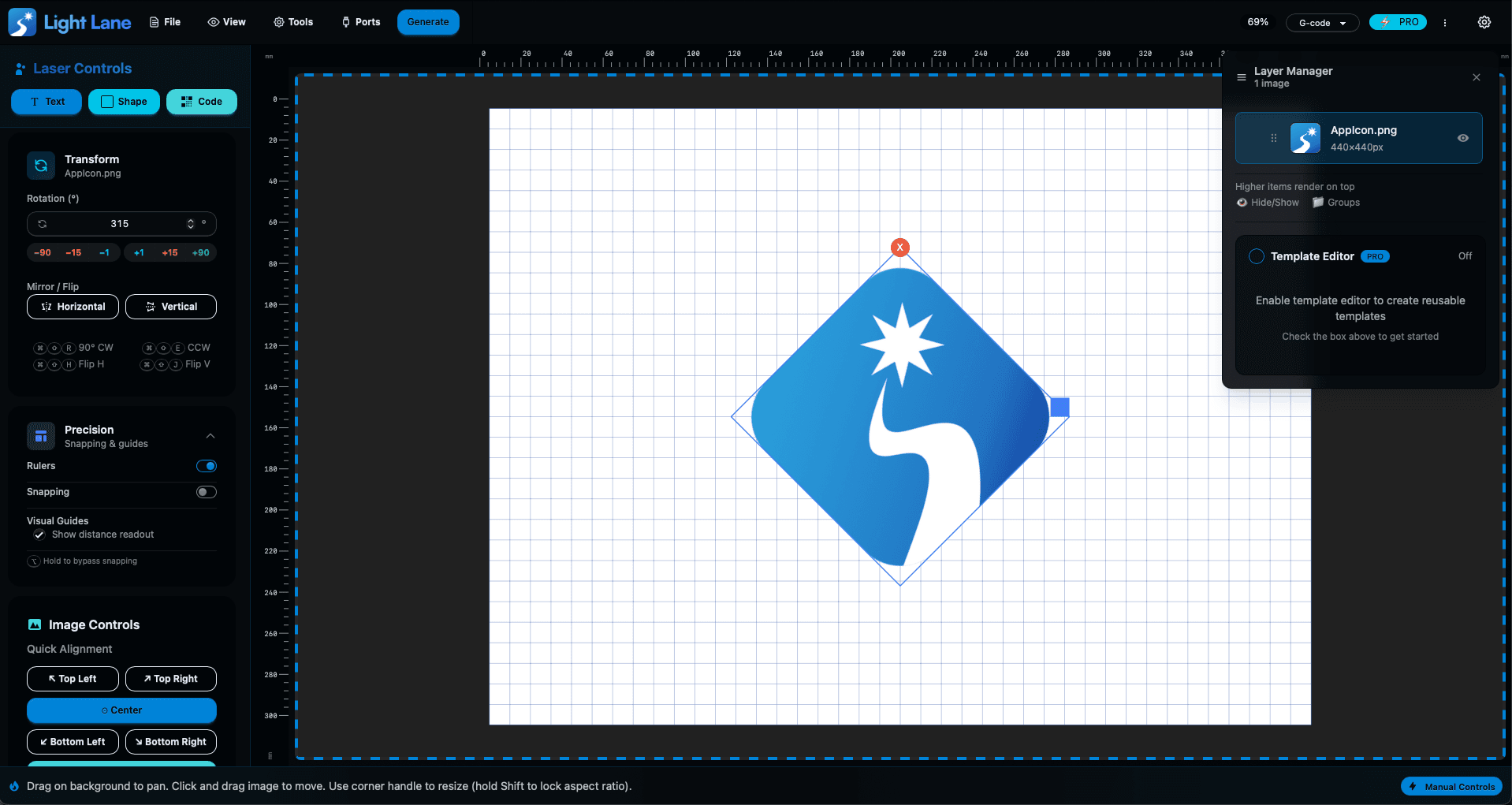
- Use the rotate controls inside the Transform panel, or
- Use a shortcut if you want speed
Keyboard shortcuts (Mac + Windows):
- Rotate 90° clockwise: Cmd/Ctrl + Shift + R
- Rotate 90° anti-clockwise: Cmd/Ctrl + Shift + E
Important note: shortcuts are optional. The feature is fully usable through the UI. The shortcuts just make it faster when you’re in the flow.
2) Mirror (flip) your artwork for real-world engraving
Mirroring is not a “nice-to-have”. It’s mandatory for a bunch of engraving setups.
Common examples:
- Acrylic backside engraving (so it reads correctly from the front)
- Glass engraving where you want the readable face from a specific side
- Transfer workflows where the final output must be reversed
- Any time you’re using a jig and you need the design mirrored to match the physical orientation
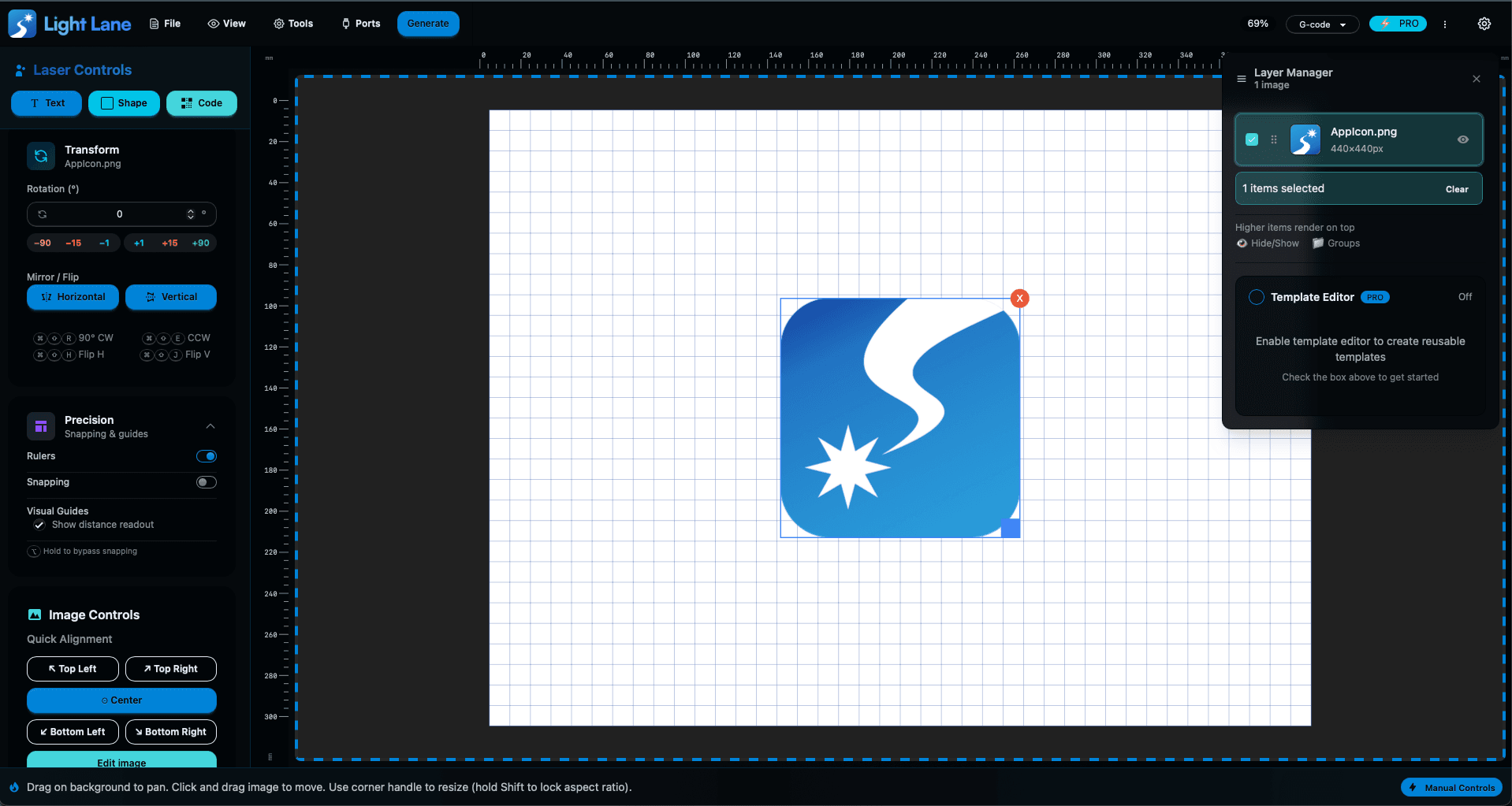
In Light Lane, you can now flip the selected image instantly, without leaving the app, without re-exporting, and without losing your positioning.
Keyboard shortcuts (Mac + Windows):
- Flip horizontal: Cmd/Ctrl + Shift + H
- Flip vertical: Cmd/Ctrl + Shift + J
Again: shortcuts are optional. Use the buttons if you prefer. Use shortcuts when you’re moving fast.
3) Precise rotation control (for when “almost straight” isn’t good enough)
90-degree steps are great, but laser work often needs finer control.
If you’ve ever placed artwork on a blank that isn’t perfectly square, you’ll know the pain:
You can be “technically aligned” but visually it looks off once the laser hits the material.
Now you can set exact rotation angles in the Transform panel (for example: 2°, 7°, 12°), and Light Lane updates live while you adjust so you can dial it in quickly.
This helps a lot with:
- crooked photos or scans
- artwork that’s slightly tilted
- aligning to grain direction on timber
- matching a blank that isn’t perfectly square on the bed
Why it matters (this is a money and mistake problem)
This update is all about speed and reliability in the setup stage.
Rotate and mirror tools save you from:
- re-exporting files every time the orientation is wrong
- losing your placement when you fix an image in another program
- wasting time re-aligning after re-importing
- avoidable “oh no” moments where you engrave mirrored by mistake
When you’re running real jobs, the difference between “two extra minutes” and “instant fix” adds up fast.
And if you’re doing production work, it’s not just time, it’s error rate.
A single mirrored job on the wrong side of acrylic is the kind of mistake that costs money, material, and confidence.
Try it today
If you’re tired of bouncing between apps just to rotate or mirror artwork, this is exactly the kind of workflow upgrade that makes laser engraving feel modern.
Light Lane is built to be a fast, integrated suite: clean UI, rapid shipping, and tools that remove friction from real engraving work.
Download the free trial and test it on your next job:
https://lightlane.app
If you want to lock it in, we’ve got limited-time holiday pricing live right now.
The earlier you jump in, the more you benefit as we keep shipping daily improvements.
Get Light Lane:
https://lightlane.app