
Today’s update is a big one for speed.
We’ve shipped Step & Repeat (array duplication) so you can turn one design into a clean grid in seconds, plus Grouping so you can move and scale multiple items together like a single object.
If you do batch engraving, product runs, tags, signage, or anything repeatable, this is one of those features that immediately saves time.
This is Day 6 of 12 Days of Light Lane. We’re shipping something new every day through to Christmas.
Step & Repeat (Array Duplication)
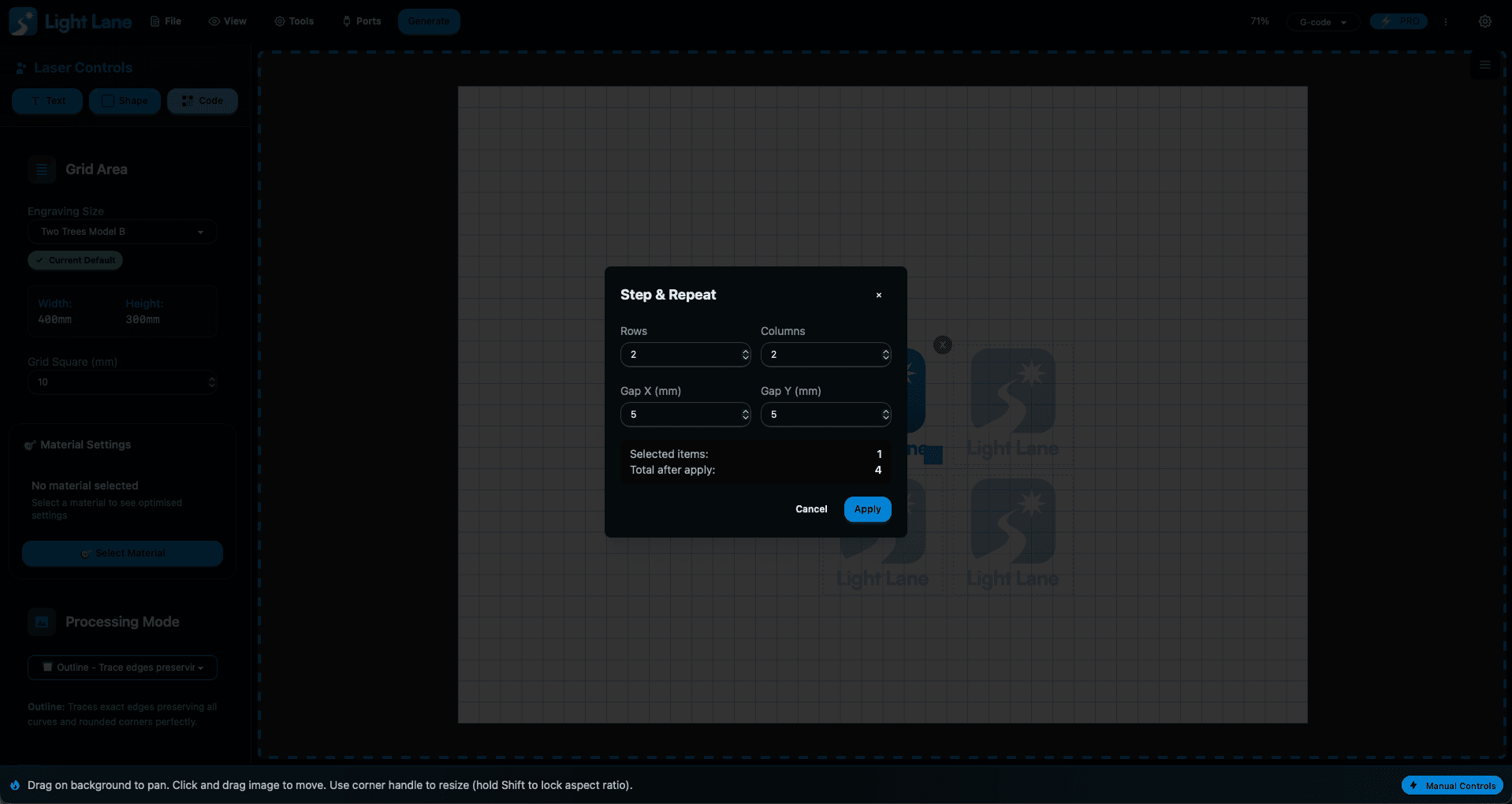
Step & Repeat lets you take one selected design and instantly generate a grid of duplicates.
What you can do
- Create rows and columns from a single design
- Set spacing so duplicates don’t overlap
- Build clean layouts for:
- tags and keyrings
- product labels and badges
- coaster runs
- signage tiles
- test patterns and iterations
The goal is simple: less dragging, less aligning, more engraving.
Grouping (Finally, Properly)
Once you’ve duplicated a grid, the next problem is always the same:
you need to move it, scale it, or position it, and doing that one-by-one is painful.
So we’ve added Grouping.
How grouping works in Light Lane
- Select multiple items and group them
- Click any item in the group to select the whole group
- Double-click to select a single item inside the group when you need to edit
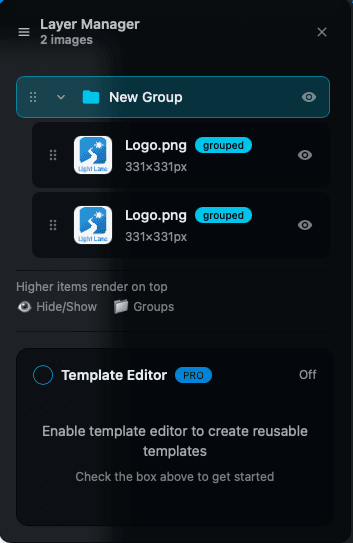
- Layer Manager shows:
- one group header
- items nested underneath
- Reorder layers (and group contents) to control what sits in front/behind
This is a foundational feature we needed for bigger workflows, and it’s now in.
Why this matters
A lot of laser work is repeat work.
If you’re doing the same layout again and again, the software should feel like a multiplier:
- faster setup
- cleaner consistency
- less chance of mistakes
- more throughput per hour
Step & Repeat gets you the layout instantly, Grouping makes it practical to position and manage.
Try it today
Light Lane is available with a free trial, and we’re currently in holiday pricing / early access while we ship these updates.
If you jump in now, you’re not just getting the features, you can still influence what we ship next during 12 Days of Light Lane.
- Try Light Lane: https://lightlane.app
- Follow the updates: https://lightlane.app/blog
What’s coming tomorrow
Tomorrow’s drop is already in motion.
We’re keeping this run going right through Christmas, with more “wow” features and workflow upgrades that make Light Lane faster to use day-to-day.
Stay tuned.